Serve a Coding Agent
This example serves a coding agent, opencode or Claude Code, from its project directory and talks to it like any other A2A agent.
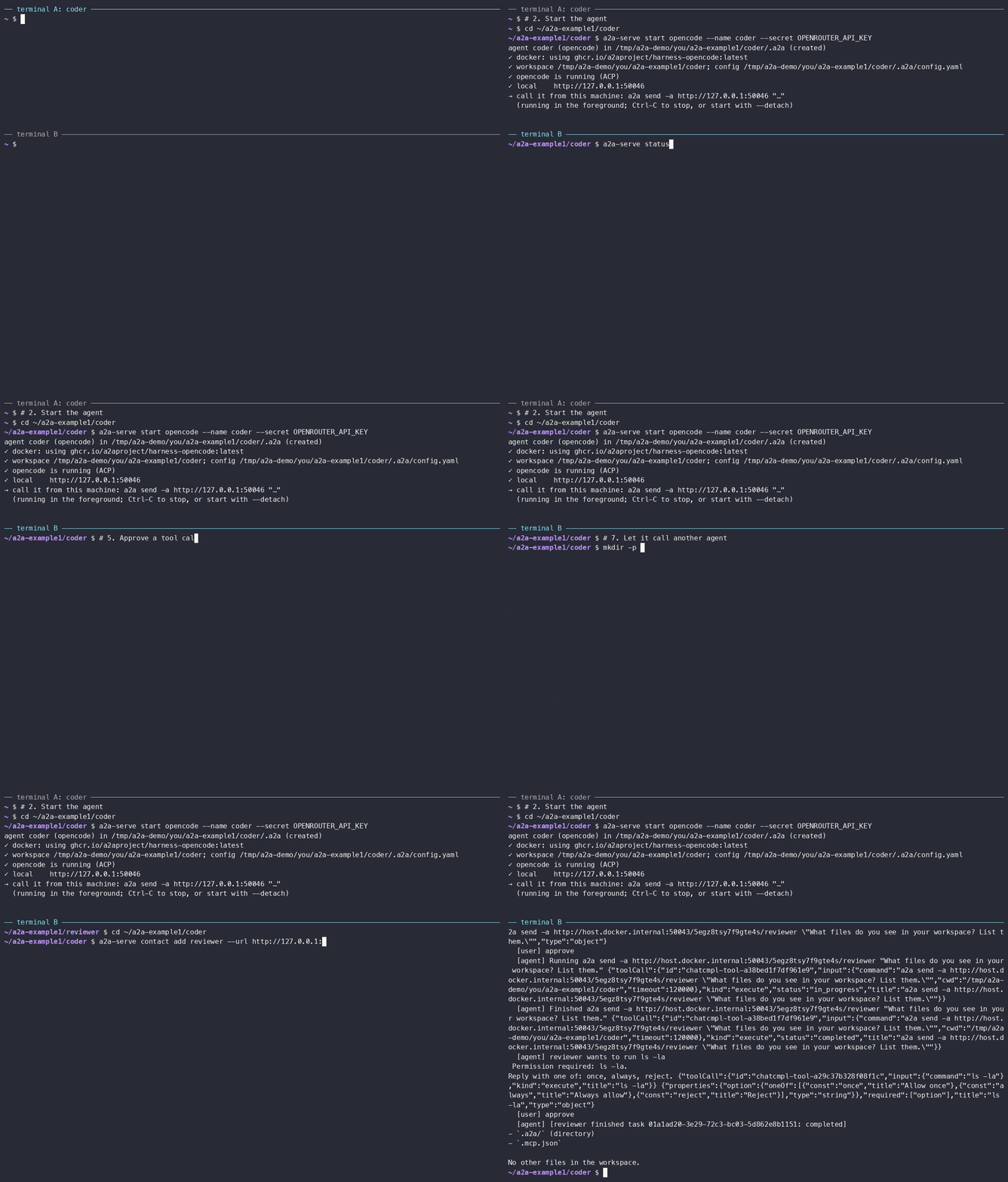
What you'll learn
- How to start a coding agent as an A2A server, and where it keeps its state
- How you get a token for it, and how pairing gives one to others
- How the agent asks before a tool call, and how you approve it
- How one agent calls another
Prerequisites
- The
a2aCLI anda2a-serveinstalled (see Getting Started). - Docker. Without it, add
--sandbox localto the start commands below; the agent then runs on your machine and needs to be installed there. - An API key for the model, such as
OPENROUTER_API_KEY, exported in your shell.
1. Create a workspace
The agent works in its project directory. Make a small one, with a hint that keeps the answers short:
mkdir -p ~/a2a-example1/coder && cd ~/a2a-example1/coder
cat > AGENTS.md <<'EOF'
You are reached over A2A. Keep answers to one short sentence.
EOF
2. Start the agent
In terminal A, from the workspace:
a2a-serve start opencode --name coder --model openrouter/~google/gemini-flash-latest --secret OPENROUTER_API_KEY
For Claude Code, use a2a-serve start claude instead.
The first run saves the flags to .a2a/config.yaml and the key to
.a2a/state/secrets, pulls or builds the agent image, and stays in the
foreground. Later runs from this directory are just a2a-serve start.
In terminal B, check that it runs and note its local URL:
cd ~/a2a-example1/coder
a2a-serve status
coder (opencode) running for 12s, pid 41233
  dir      /home/you/a2a-example1/coder
  local    http://127.0.0.1:46757
3. Call it from this machine
Every A2A request needs a token. On start, the server saves an owner token
for its local URL, and the a2a CLI attaches it through the credential helper
that a2a-serve doctor --fix set up during install.
Other people and machines need an invitation: a2a-serve pair invite <name>
prints a one-time code, which they redeem with
a2a-serve pair join <agent-url> <code>. Step 7 does the same for another
agent.
Save the agent's URL so the commands below stay short, and give the agent time to think:
cat > .env <<EOF
A2ACLI_AGENT_CARD=$(a2a-serve status --url=local)
A2ACLI_TIMEOUT=3m
EOF
4. Ask a question
a2a send "In one sentence, what can you do?"
5. Approve a tool call
Ask for something that runs a command:
a2a send "Use bash to write the output of 'uname -sr' into system.txt."
The agent asks first, so the task stops in input-required. The output shows
the tool call, the options (once, always, reject) and how to resume:
Resume: a2a send --task-id <task-id> "<reply>"
Approve it on the same task:
a2a send --task-id <task-id> approve
The agent runs the command and finishes. system.txt is now in the workspace.
6. Continue the conversation
The context ID from the previous answer keeps the conversation going:
a2a send --context-id <context-id> "Which file did you just create?"
7. Let it call another agent (optional)
In terminal B, start a second agent in the background. Then let coder
call it: mint a code on the reviewer's side and redeem it as a contact on
coder's side.
mkdir -p ~/a2a-example1/reviewer && cd ~/a2a-example1/reviewer
a2a-serve start opencode --name reviewer --model openrouter/~google/gemini-flash-latest --secret OPENROUTER_API_KEY --detach
a2a-serve status                  # note reviewer's local URL
a2a-serve pair invite coder       # prints a code

cd ~/a2a-example1/coder
a2a-serve contact add reviewer --url <reviewer-url> --code <code>
Now ask coder to delegate:
a2a send "Ask the reviewer agent what files it sees in its workspace, and tell me."
Coder runs a2a send -a http://a2a/<handle>/reviewer ... in its sandbox. Its
server makes the call with the token it just stored, so no credential enters
the sandbox. If reviewer needs an approval, your task waits for it and shows
reviewer's request. Answer it like coder's own:
a2a send --task-id <task-id> approve
The task then continues with reviewer's result.
8. Clean up
cd ~/a2a-example1/coder
a2a-serve pair rm "$(a2a-serve status --url=local)"   # the owner token of this machine
a2a-serve stop
cd ~/a2a-example1/reviewer && a2a-serve stop
Everything an agent keeps is in .a2a/ in its workspace; delete the
directories to start over.
Next steps
Tailscale, Telegram and a Grok Bot puts the agent on your tailnet and in Telegram, and adds a Grok bot as a webhook node. The user guide covers the rest, and the architecture explains how the pieces fit together.