Agent Mesh Relay (Experimental)
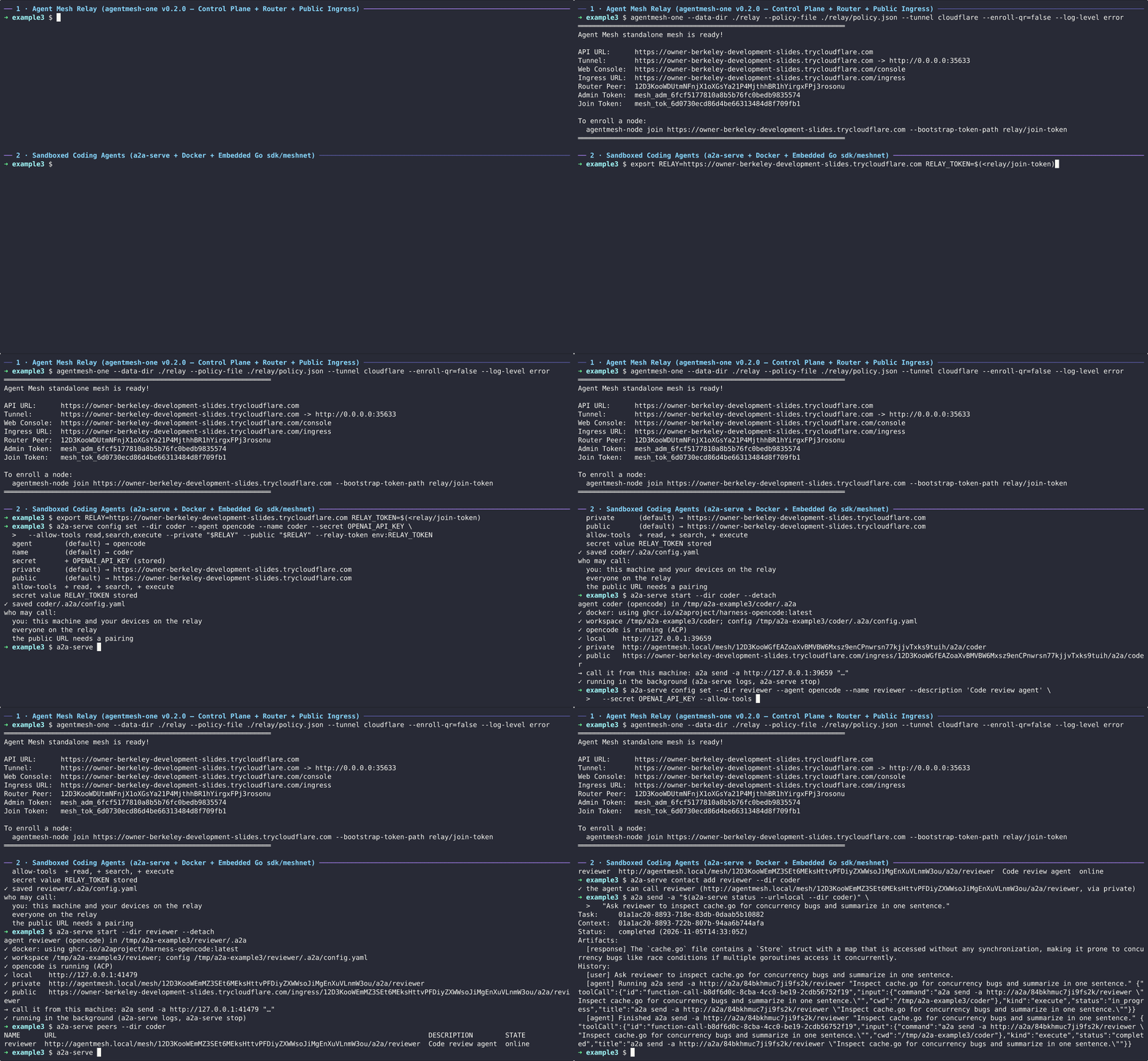
Tailscale, Telegram and a Grok Bot put an agent on a tailnet. This example puts two agents on an
Agent Mesh relay: no Tailscale
account, agents reachable from behind NAT, and a public URL for each on the
relay. a2a-serve runs Agent Mesh's meshnet library in-process, so there is
no sidecar to run.
What you'll learn
- How to run a relay on your machine with
a2a-serve relay run - How to invite agents with
a2a-serve relay invite - How an agent joins it with
--private <relay-url> --public <relay-url> - How agents on the relay find each other and call each other
- How a caller outside the relay pairs with an agent at its public URL
Prerequisites
a2a-servebuilt with Agent Mesh support, and thea2aCLI (see Getting Started):
go install -tags agentmesh github.com/a2aproject/a2a-serve@latest
- Docker, and an API key for the agent, as in the prerequisites of Serve a coding agent
jq, to read the invites
1. Run the relay
mkdir -p ~/a2a-example3/relay && cd ~/a2a-example3/relay
a2a-serve relay run --url http://127.0.0.1:8443 --listen 127.0.0.1:8443
The first run downloads agentmesh-one, the Agent Mesh relay at the
version this a2a-serve pins, and runs it behind a2a-serve on loopback. The
relay serves its control plane, the connections between agents and the
public URLs on one port. A relay on another machine needs an https://
address; Relays covers that.
2. Invite and join two agents
The relay admits the agents you invite. Each invite joins one agent. In another terminal:
export RELAY=http://127.0.0.1:8443
cd ~/a2a-example3/relay
CODER_TOKEN="$(a2a-serve relay invite coder -o json | jq -r .token)"
REVIEWER_TOKEN="$(a2a-serve relay invite reviewer -o json | jq -r .token)"

mkdir -p ~/a2a-example3/coder && cd ~/a2a-example3/coder
printf '%s' "$CODER_TOKEN" | a2a-serve config set --agent opencode --name coder --secret OPENROUTER_API_KEY \
  --model openrouter/~google/gemini-flash-latest --private "$RELAY" --public "$RELAY" --relay-token -
a2a-serve start --detach

mkdir -p ~/a2a-example3/reviewer && cd ~/a2a-example3/reviewer
printf '%s' "$REVIEWER_TOKEN" | a2a-serve config set --agent opencode --name reviewer --secret OPENROUTER_API_KEY \
  --model openrouter/~google/gemini-flash-latest --private "$RELAY" --public "$RELAY" --relay-token -
a2a-serve start --detach
--relay-token is a config set setting, so config set --agent creates
each agent with it before its first start, and start starts it.
cd ~/a2a-example3/coder && a2a-serve status
coder (opencode) running for 4s, pid 51200
  dir      /home/you/a2a-example3/coder
  local    http://127.0.0.1:41823
  private  http://agentmesh.local/mesh/12D3KooW…/a2a/coder
           (works only from other a2a-serve agents on the relay; give people the public URL)
  public   http://127.0.0.1:8443/ingress/12D3KooW…/a2a/coder
The relay lists both:
a2a-serve relay members --dir ~/a2a-example3/relay
3. Let coder call reviewer
Agents on the relay find each other by name:
a2a-serve peers --dir ~/a2a-example3/coder # lists reviewer
Only the agents you invited are on this relay, so everyone on it can call reviewer, and coder needs no code:
a2a-serve contact add reviewer --dir ~/a2a-example3/coder
a2a send -a "$(a2a-serve status --url=local --dir ~/a2a-example3/coder)" \
  "Ask reviewer what it thinks of the README of this project."
coder's call goes through its server, over the relay, to reviewer. No credentials enter coder's sandbox.
4. Call an agent from outside the relay
The public URL forwards requests unchanged, so a caller pairs there like anywhere else:
PUBLIC="$(a2a-serve status --url=public --dir ~/a2a-example3/coder)"
a2a-serve pair invite me --dir ~/a2a-example3/coder     # prints a code
a2a-serve pair join "$PUBLIC" <code>
a2a send -a "$PUBLIC" "What does this project do?"
5. Clean up
a2a-serve stop --dir ~/a2a-example3/coder
a2a-serve stop --dir ~/a2a-example3/reviewer
# stop the relay with Ctrl+C
rm -rf ~/a2a-example3
Next steps
- Run the relay somewhere with a stable
https://address; agents and pairing tokens are tied to it. Relays shows how, and how to remove agents and upgrade the relay.